
App preview · Journal · Codex · Bestiary

Out Now

Campaign Journal

@Mention a name once · it keeps a page of its own

Everyone at the table is holding something in their head: the quest nobody has closed, the name of the innkeeper, what actually worked on that troll. Campaign Journal is where it goes instead. Sessions, the people you met, the places you burned down, the quests still open, the loot nobody has claimed, and the creatures your character has fought. Tag a name once and it is filed everywhere it belongs, so you can find it again.

PlatformiOS · iPadOS · Android
WorksFully offline · no account
InsideJournal · Codex · Bestiary
How It Works

Write
Tag
Read Back

Write It

One line is enough. A date, a recap, and whatever you can type before the next initiative order comes round. The empty note asks you the four questions instead of showing you a blank box.

Tag It

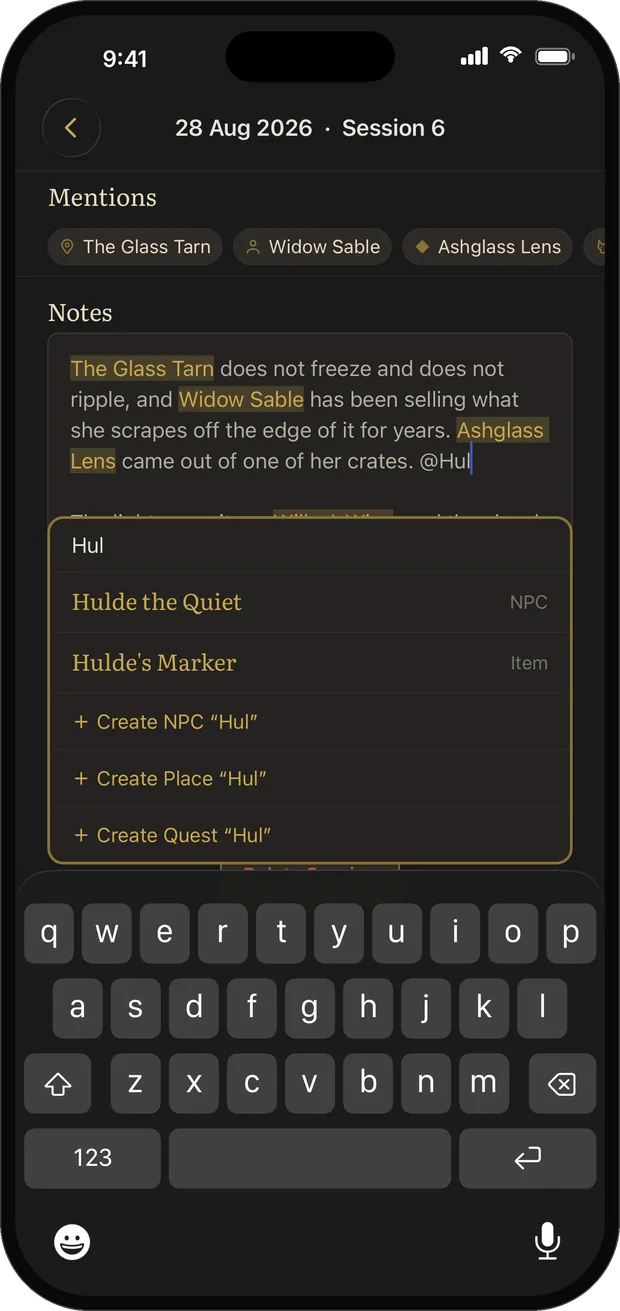
Type @ and attach the NPC, place, quest, item or creature to the note. If they don't exist yet, name them and they are created on the spot, without leaving what you were writing.

Read It Back

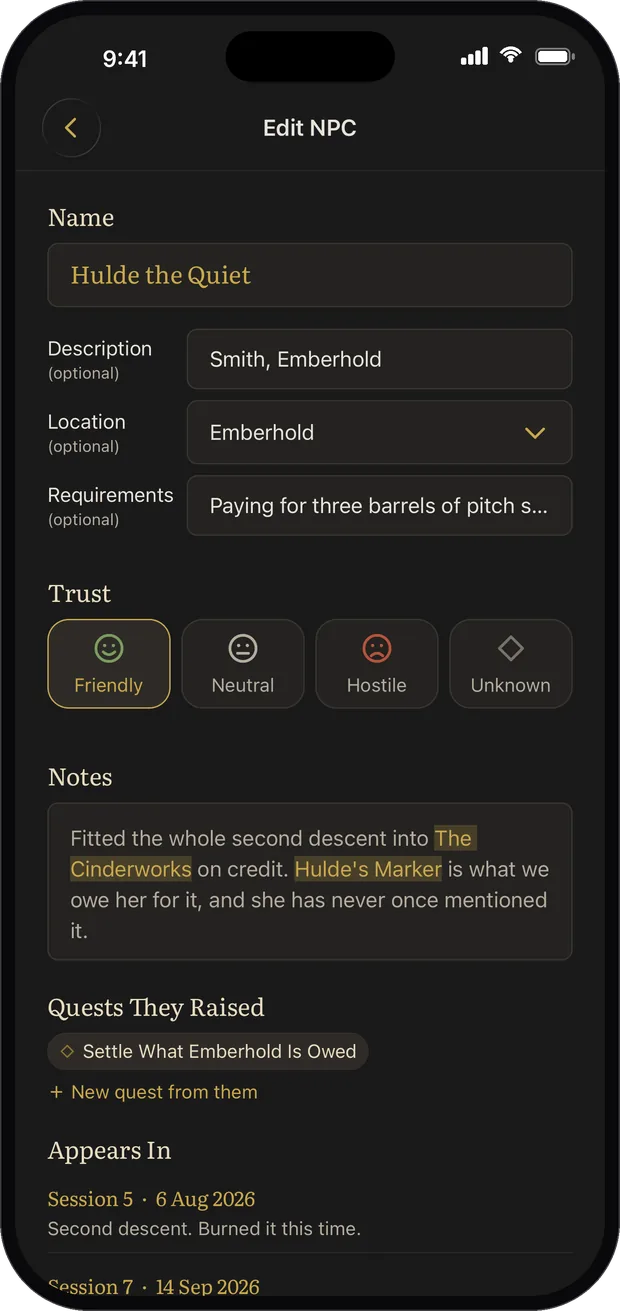
Three months later, tap a name and every session they turned up in is already assembled. You mentioned them once while writing, and that was the only filing you did.

Inside the App

A Closer Look

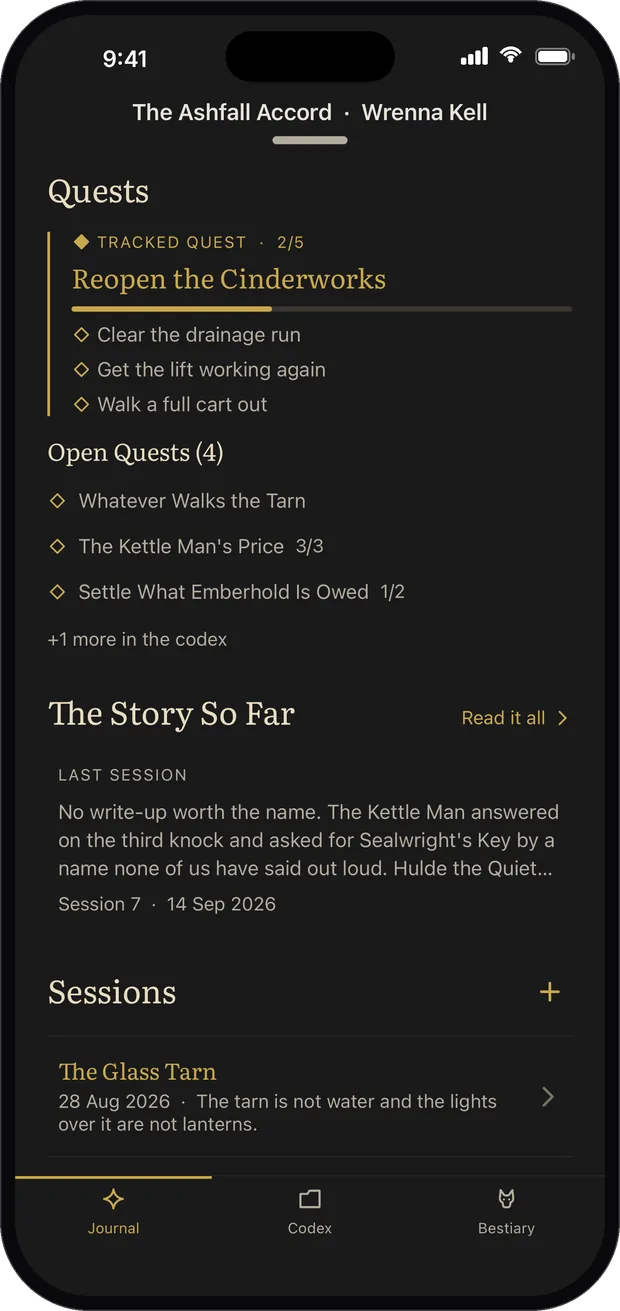
The Journal tab: a tracked quest with its objectives, the open quests, and last session's recap

Where We're At

Last session's recap, the tracked quest and what's left of it, every open thread. The answer without the reading.

Typing an at sign inside a session note, with a picker offering matching entries or creating a new one

Tag as You Type

Type @ mid-sentence and pick the name. It becomes a chip in your text, and the note keeps going. No form to fill in later.

An NPC entry showing the sessions they appear in and the quests and places they are mentioned in

Every Name Keeps a Page

The NPC's own entry lists every session they walked into under Appears In, and every quest and place that names them under Mentioned In. You wrote it once.

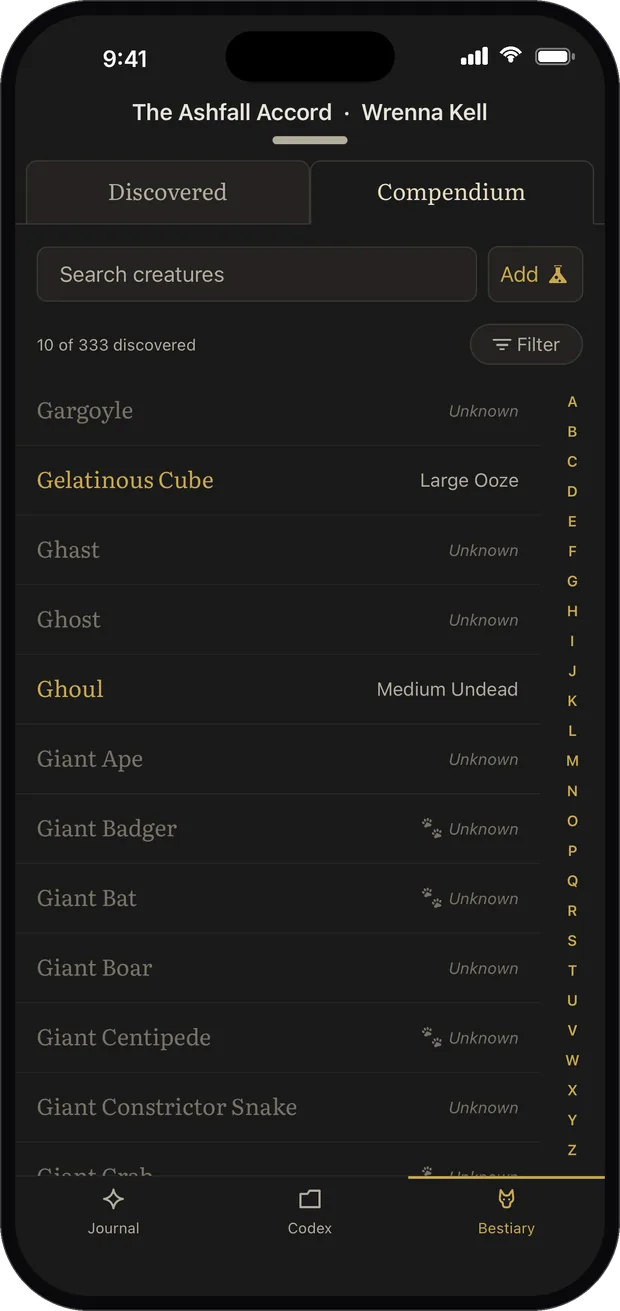
The Bestiary compendium, an alphabetical creature list with the undiscovered ones greyed out

The Bestiary

Your character's own field notes on what they have fought, backed by 330+ creatures to look up, travelling with them from one campaign to the next.

What's Inside

Built for the Table

SessionsDated entries with a one-line recap, written in seconds mid-game and tidied up after
CodexNPCs, locations, quests with tick-off objectives, loot and who holds it, and the party roster
BestiaryYour character's own notes on every creature they have met, plus 330+ creatures from the freely licensed 5e SRD to look up
@Mentions@Mention a name once and it keeps a page of its own. No relation tables, no upkeep, no setup night
Many campaignsTwo tables, two journals, kept completely separate on one device
Your dataFully offline, no account, no trackers. Backup and restore to a file
The Details

Good to Know

PlatformsiOS · iPadOS · Android
AvailabilityOut now on the App Store and Google Play
PriceA one-off purchase. No subscription, no ads
Age ratingSuitable for all ages
InternetNot required. Works fully offline
Data collectedNone. No account, no analytics, no trackers.
See the privacy policy
Game contentUses the System Reference Document 5.2.1 by Wizards of the Coast LLC, licensed under CC BY 4.0
Supportsupport@dungeonworks.com · guides & FAQ
Before You Start

Help & Support

Getting-started guides, backing up your journal, common questions, and how to reach a human. Everything the in-app help menu points to is right here.


Is this a DM tool?

No, it's written from the player's seat. There's no encounter builder, no initiative tracker and no worldbuilding wiki. It records what a player needs to remember between sessions, nothing more.

What makes it different from Notion or a notes app?

The cross-linking. In a generic tool you build the structure first and maintain it forever. Here you write the note, @mention a name in it, and that name keeps a page of its own. Tap an NPC after three months and their whole history is already sitting there.

What happened to Monster Journal?

Campaign Journal absorbed it. The bestiary is now one tab inside the bigger book, because a session note can only link to the creature you fought if the notes and the creatures live in the same app. If you already own Monster Journal it stays on your devices and keeps receiving updates.

Can I run more than one campaign?

Yes. Two tables means two journals, completely separate, switched from the header. Your own character carries their bestiary between them, because a character doesn't forget what they fought last year.

Does it need an internet connection or an account?

Neither. Everything lives on your device, there's no sign-up, and it works in the deepest dungeon of your friend's basement. Backup and restore write a single file you control.

Does any AI read my journal?

No. No transcription, no auto-summaries, no cloud model reading your game. The journal is your own words, and the summary screens are assembled from records you wrote yourself.

Out Now on Both Stores

Sessions, NPCs, quests, loot and a 330+ creature bestiary, cross-linked as you write. One purchase, no subscription, works fully offline.

Download on the App Store Get it on Google Play