

How Can We Help at Your Table?
Guides and answers for the Campaign Journal app. Works offline, no account, and a human replies within 48 hours.
First Night at the Table
Campaign Journal is built to stay out of your way mid-session. Here's the whole loop in five moves.
Create a campaign
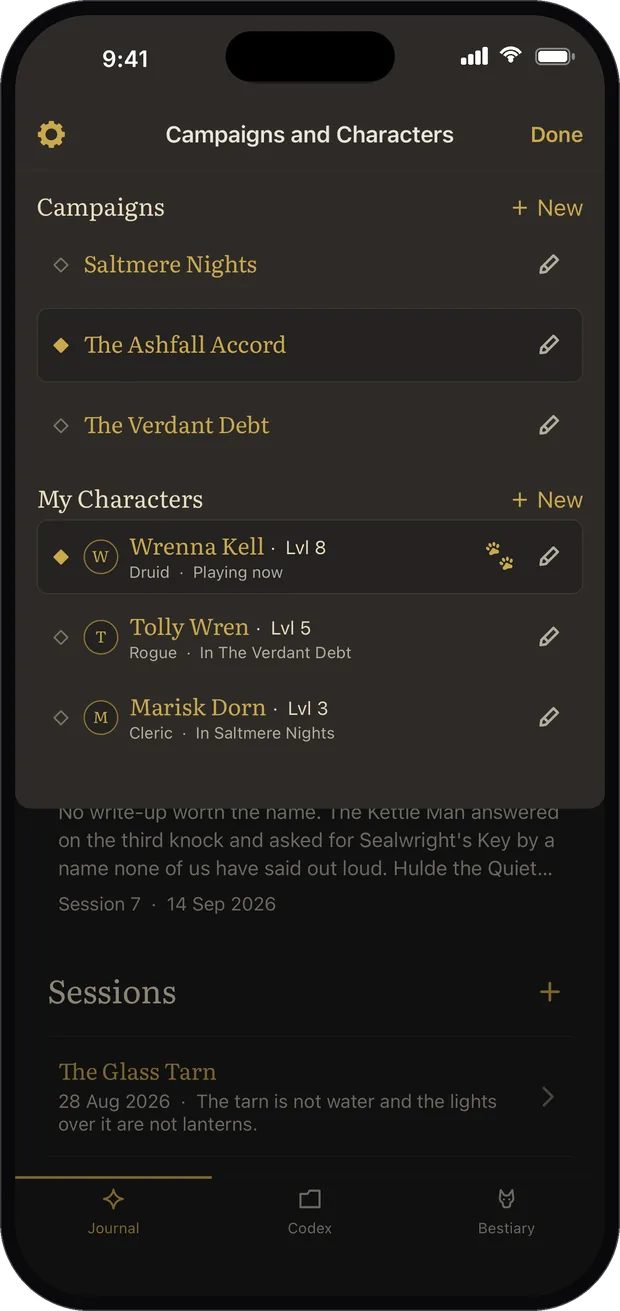
On first run you name the campaign and the character you're playing, and you land straight in Sessions. Running two games? Add a second campaign and switch between them from the header.
Write a session note
Tap the plus in Sessions. Give it a date and a one-line recap, then type as much or as little as you like. A note is worth keeping even if it's one sentence.
@Mention as you type
Type @ inside a note, or use the link button in the toolbar, to attach an NPC, location, quest, loot item, party member or creature. If it doesn't exist yet, the same menu creates it from the name you just typed.
Track a quest
Give a quest a checklist of objectives and tick them off as you go. Pin one as the tracked quest and it leads the Where We're At card until you resolve it.
Back up your journal
Settings has Backup and Restore. It writes a single file you control: keep it in your cloud drive or send it to yourself. Restore it on any device.
Common Questions
Does the app need an internet connection?
Never. Everything lives on your device, with no account and no sign-up. It works in the deepest dungeon of your friend's basement.
How do I link an NPC to a session note?
Write the note as normal and type @ where the name belongs, then pick them from the list. The name becomes a tappable chip in your text, and that session is filed in the NPC's own entry too. You never fill in the link twice.
I mentioned someone who isn't in the codex yet
That's the normal case mid-session. The picker offers to create them from the name you typed, and you carry on writing. Come back later and fill in who they were and what they wanted.
How do I move my journal to a new phone?
On the old device, open Settings and tap Backup, then save or share the file. On the new device, install Campaign Journal and use Restore to load that same file. Every campaign, character and note comes across.
My character died and a new one took over
Open the header sheet and hand over to a new character. The campaign carries on with all its sessions and quests intact, and the new hero starts with an empty bestiary, because in the fiction they never met those creatures. You can copy entries across deliberately if you want to.
Can I keep two campaigns apart?
Yes. Each campaign owns its own sessions, NPCs, locations, quests, loot and party, and nothing bleeds between them. Only your own character crosses over, carrying their bestiary with them.
I lost my journal. Can you recover it?
We can't, because your data never reaches us: it only ever lives on your device. That's why the backup file matters. Set a reminder to export one after each session and you'll never lose more than a night.
Nothing matches that yet. Ask us directly and a human will answer.
Still Stuck?
Bug, feature idea, or a quest that won't behave? Send it over and a human reads every word, usually within 48 hours.
Enjoying It?
A rating is the single biggest thing that helps another table find Campaign Journal. If it has earned one, it takes a minute.